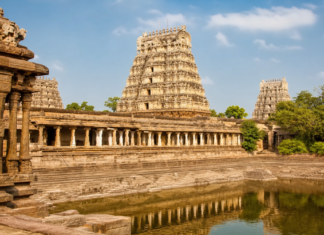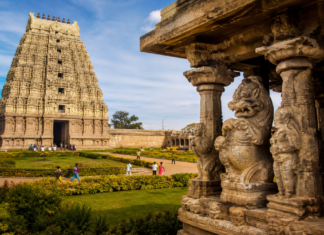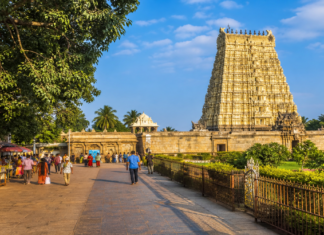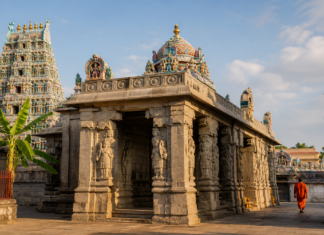


Sitting beautifully on the Simhagiri hill in Vizag, the Sri Varaha Lakshmi Narasimha Swamy Temple (famous as Simhachalam) is a must-visit for everyone in Andhra Pradesh. We all love going there to take the blessings of Lord Narasimha, who is covered in Chandan (sandalwood paste) for most of the year.
But let’s be honest, if you’ve gone there on a weekend, a festival day, or during Chandanotsavam, you know how crazy the rush gets! Standing in those long queues for 3 to 4 hours is really tiring, especially if you have kids or elderly parents with you.
Good news! The AP Endowments Department has made things super easy now with their official AP Temples Portal. You can easily book your darshan tickets online from your phone while sitting at home.
In this guide, I will show you exactly how to book your Simhachalam darshan tickets step by step, so you can skip the heavy rush and have a very peaceful darshan.
Things to Keep Ready Before You Book
Before you open the website, just keep these details handy:
- Your 10-digit mobile number (to get the OTP via SMS or WhatsApp).
- The full names and mobile numbers of all the people coming with you for the darshan.
- Your phone or card ready for online payment (PhonePe, GPay, UPI, Net Banking, or ATM card).
Step-by-Step Guide to Booking Simhachalam Tickets Online
Step 1: Open the AP Temples Website and Click Login
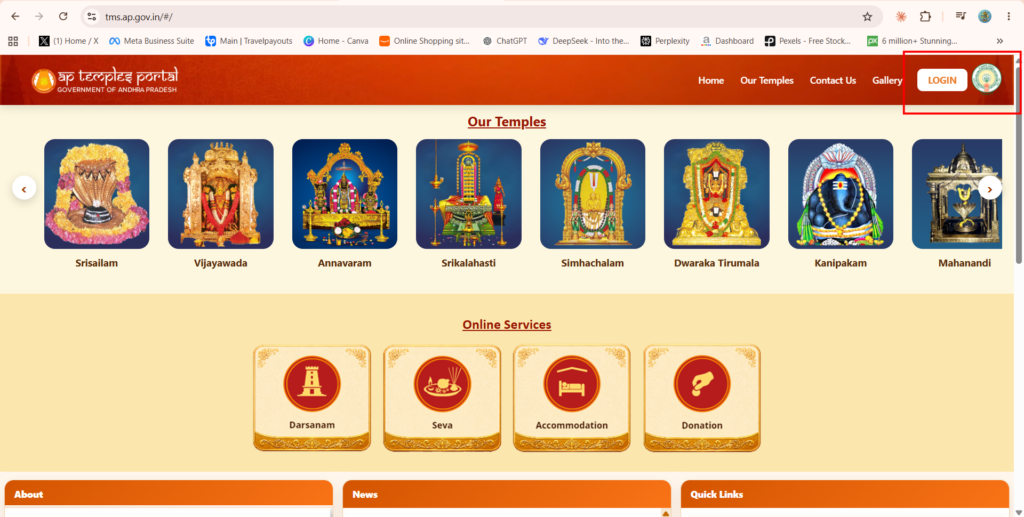
First, open your mobile browser or laptop and go to the official website: tms.ap.gov.in.
Once the page loads, look at the top right corner. You will see a white LOGIN button right next to the AP Government logo. Just click on it.
Step 2: Enter Mobile Number for OTP
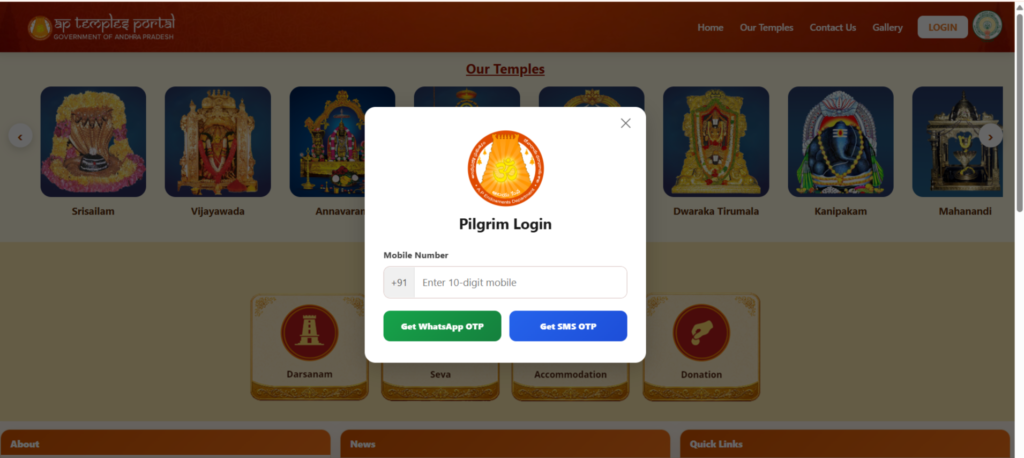
A small “Pilgrim Login” box will pop up on your screen.
- Simply type your 10-digit mobile number.
- Below that, you have two blue/green buttons: Get WhatsApp OTP or Get SMS OTP. Click whichever is easier for you.
- Enter the OTP you receive on your phone, and you will be logged into your account.
Step 3: Click on ‘Darsanam’
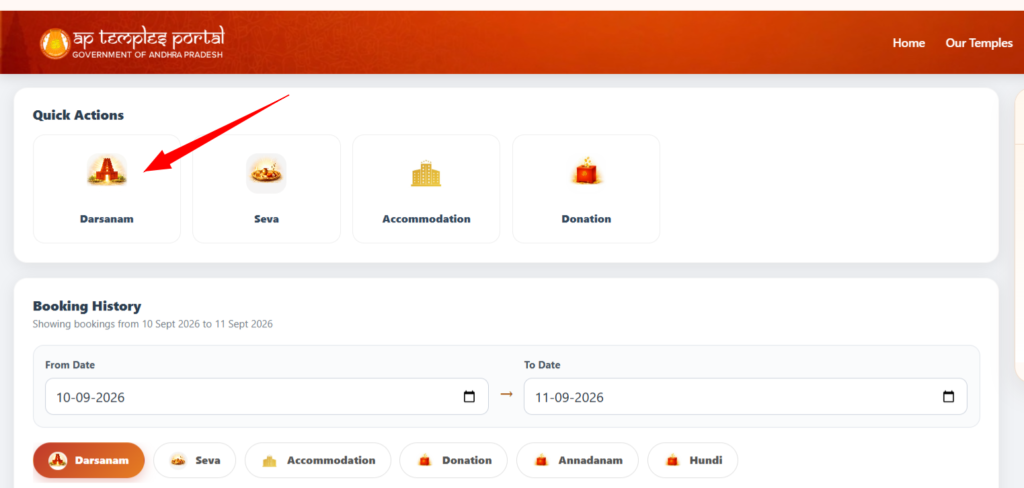
Now that you are logged in, you will see a ‘Quick Actions’ section at the top of your dashboard.
There are options for Seva, Accommodation, and Donation. You just need to click on the Darsanam icon (the first one with the temple picture).
Step 4: Search and Select Simhachalam Temple
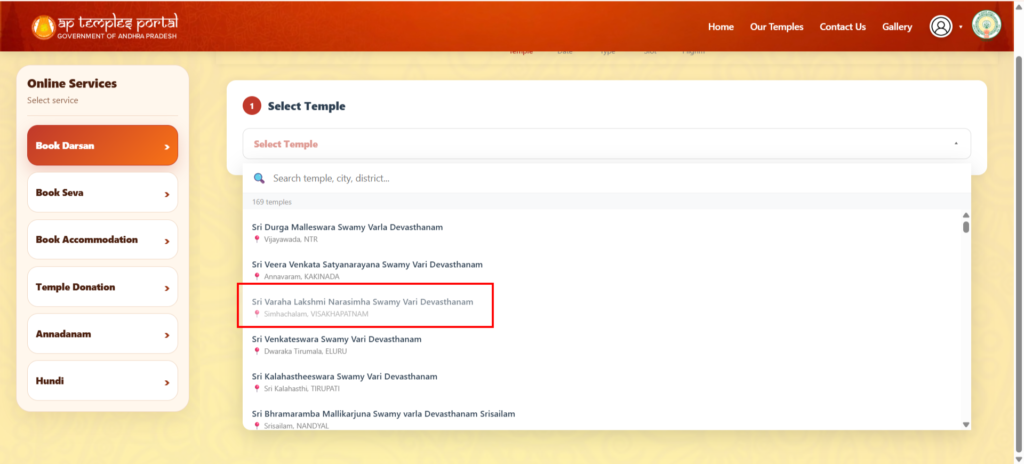
On the next page, you have to choose which temple you want to visit from the AP state list.
Click on the Select Temple box. A list will open up. Scroll down or type in the search bar to find Sri Varaha Lakshmi Narasimha Swamy Vari Devasthanam (Simhachalam, VISAKHAPATNAM) and select it.
Step 5: Pick Your Darshan Date
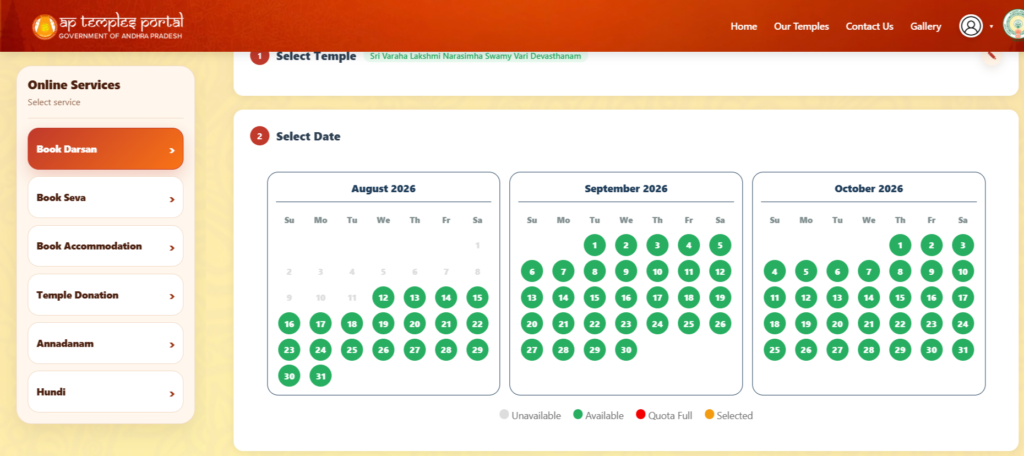
A calendar will show up on your screen with different colors. Here is how to read it:
- Green circles: Tickets are available!
- Red circles: Quota is full (sold out).
- Grey circles: Not open for booking yet.
Just click on an available Green date when you are planning to visit.
Also Read: Simhachalam Temple Timings: A Complete Guide for Devotees and Travelers
Step 6: Choose Your Darshan Ticket (Rs. 100 or Rs. 300)
After picking the date, it will ask you what type of darshan ticket you want. You will see two options for Simhachalam:
- Athi Seeghra_Darsanam (₹300): This is the VIP express line. Go for this if you want to finish your darshan very fast with almost no waiting time.
- Seeghra_Darsanam (₹100): This is the special entry line. It’s cheaper but still much faster than the free general darshan line.
Just click the small box next to the ticket price you want to buy.
Step 7: Select Your Preferred Time Slot

Once you choose the ticket type, the available time slots for that day will pop up on your screen.
Common time slots available for Simhachalam darshan are:
- 07:00 AM – 11:30 AM
- 12:30 PM – 02:30 PM
- 03:30 PM – 07:00 PM
You will also see how many tickets are left in each slot (for example: 498 Tickets left). Just click the orange Book Now button under the slot that fits your travel plan.
Step 8: Choose Number of Tickets and Enter Pilgrim Details
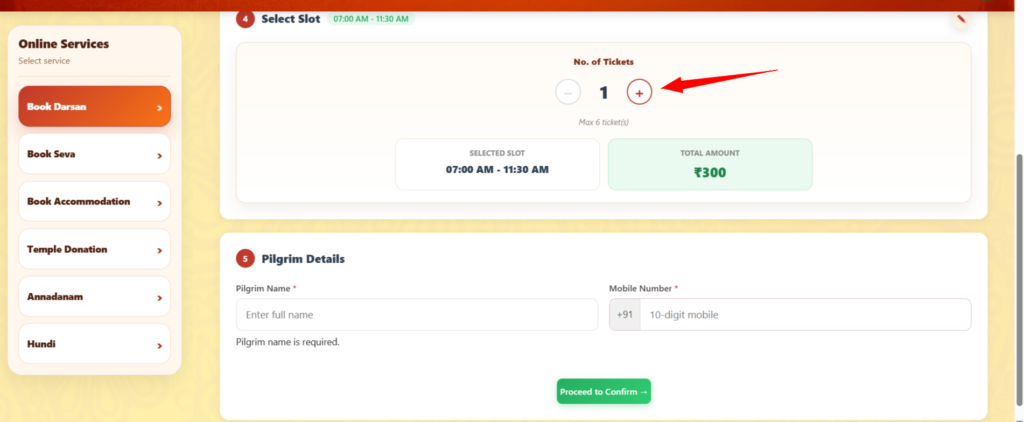
Now you need to tell the system how many people are coming with you.
- Select Number of Tickets: Use the + (plus) button to add the number of pilgrims. Remember, you can book a maximum of 6 tickets in a single booking.
- Enter Pilgrim Details:
- Type the Full Name of the main pilgrim (as printed on your Aadhar or Govt ID).
- Enter the Mobile Number.
- Once all details are filled, click the green Proceed to Confirm button at the bottom.
Step 9: Review Summary and Make Payment
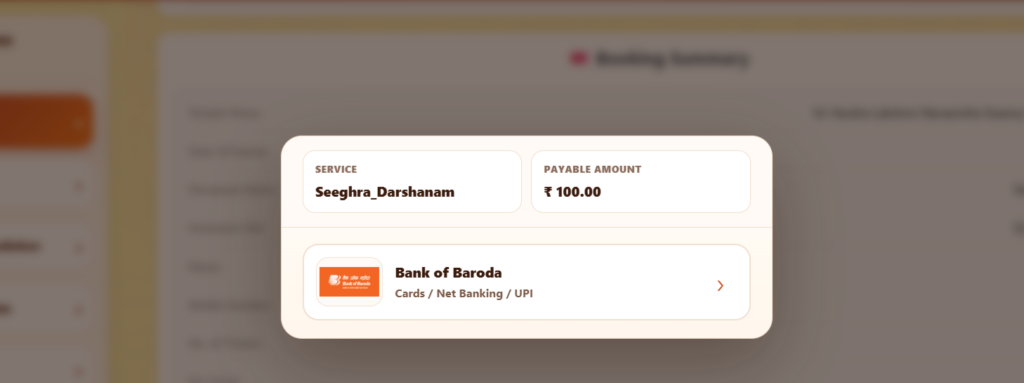
A small “Booking Summary” box will pop up showing your service name (like Seeghra_Darshanam or Athi Seeghra_Darshanam) and the total payable amount (e.g., ₹100 or ₹300).
- Select your preferred payment gateway (like Bank of Baroda portal, which supports all UPI, Net Banking, and Cards).
- Complete your payment using PhonePe, Google Pay, Paytm, Debit Card, or Net Banking.
Step 10: Download and Print Your Ticket!
Once the transaction is successful, your digital entry pass will be generated with a QR Code.
- Download the PDF copy to your mobile phone.
- Important: Take a clear paper printout of the ticket. The security guards at the hill entrance check the physical printout along with your original ID card before letting you into the queue.
Important Tips for Visiting Simhachalam Temple
To make sure your visit goes completely smoothly, keep these quick tips in mind:
- Original ID Proof is Mandatory: Always carry the original Aadhar Card or Govt ID card for all pilgrims listed on the ticket.
- Dress Code Rules: Wear traditional or modest Indian clothes. Men can wear Kurta-Pyjama or Dhoti-Kanduva, and women can wear Saree or Chunni with Chudidhar. Avoid wearing shorts or sleeveless tops.
- Mobiles & Electronics: Mobile phones and cameras are not allowed inside the inner temple area. You can deposit them in the free counter or leave them safely in your car.
- Reaching the Temple: Simhachalam hill is located about 20 km from Vizag Railway Station and 15 km from Vizag Airport. RTC buses and private autos/cabs are easily available from the foot of the hill (Konda Keeda) to the top temple complex.
Summary Table for Quick Reference
| Detail | Info |
| Official Website | |
| Special Entry Ticket (Seeghra) | ₹100 per person |
| VIP Entry Ticket (Athi Seeghra) | ₹300 per person |
| Max Tickets per Booking | 6 Tickets |
| Login Method | Mobile Number + OTP |
| Main Requirement | Ticket Printout + Original ID Card |
Frequently Asked Questions (FAQs)
You can book a maximum of 6 darshan tickets in a single booking. If you have a larger family group, you will need to log in again with another mobile number to book the remaining tickets.
Men are expected to wear traditional Indian clothes like dhotis, pyjamas, or formal full-length trousers with a shirt. Women should wear sarees, salwar kameez, or long skirts with a dupatta. Western wear like shorts, sleeveless tops, and short dresses are strictly not allowed near the main sanctum
On a normal day, the temple opens for morning darshan from 7:00 AM to 4:00 PM. After a mandatory break for afternoon rituals (where no darshan is allowed), the evening darshan continues from 6:00 PM to 9:00 PM.
Yes, it is very important! You must carry a clear paper printout of your booked ticket along with the original Aadhar card or Government ID for every single pilgrim mentioned on that ticket. The security guards will check this before letting you into the queue.
The most peaceful darshan usually happens early in the morning right after the temple opens at 7:00 AM, or shortly after the evening break ends at 6:00 PM. Visiting on regular weekdays (Monday to Thursday) is also much faster and less crowded compared to weekends.